Use the Worldpay Dispute Resolution Centre to work on disputed transactions and defend your chargebacks.
To help you use the DRC system immediately, see the quick start topic which explains some common tasks.
The Landing screen is the home screen of the system.
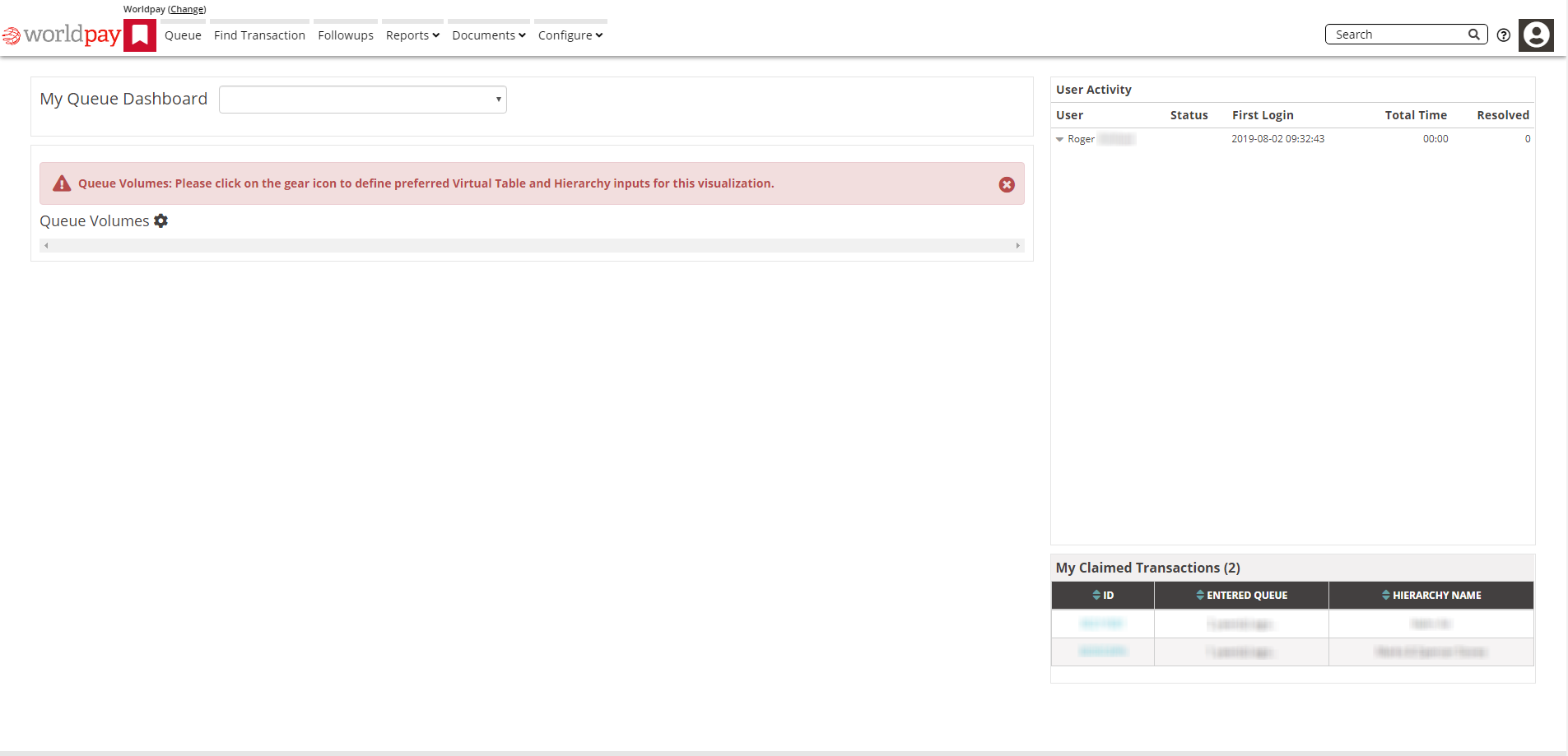
Note: Click the Worldpay logo to go back to this screen from anywhere in the system.
The Landing screen gives you access to several different areas and functions.
Running along the top of the Landing screen is the navigation menu, this menu appears on most of the screens in the system. The number of options on the menu depends on your permissions, so don't be surprised if some of the options don't appear on your screen. The full range of options are:
Bookmark and search menu: Shows the pages you marked as favourites and the pages you accessed recently and also offers a search function. Click on the red bookmark icon to display your options.
Queue : Manage your live queue, claimed transactions and notification queue
Find Transaction : Search for live and historic transactions
Followups : Where you find transactions that are in a followup queue.
Reports: Manage and download data, manage encryption keys
Documents: Manage standard documents used for defending disputes (for example terms and conditions)
Configure: Configure users, roles and reference tables
Agent: Review queues, find transactions and work on transactions
Select the dashboard you want from the drop-down list to display your personal queue dashboard. If you only have one queue dashboard, this field is blank.
The dashboard shows summary information from your specialised queues.
This is a graph that shows the quantities of disputed transactions in the queue you selected from the My Queue Dashboard drop-down list.
To select the queue you want:
Click the cog icon next to the Queue Volumes title. The Queue Volume Landing page appears.
Select the queue you want.
This table records your activity on the system including the number of disputes you resolved.
This shows the transactions that you've worked on recently that are in your queue.
| Guide feedback?
Email us at: guides@worldpay.com |
   
|
|
© Worldpay 2019, LLC and/or its affiliates. All rights reserved. |
