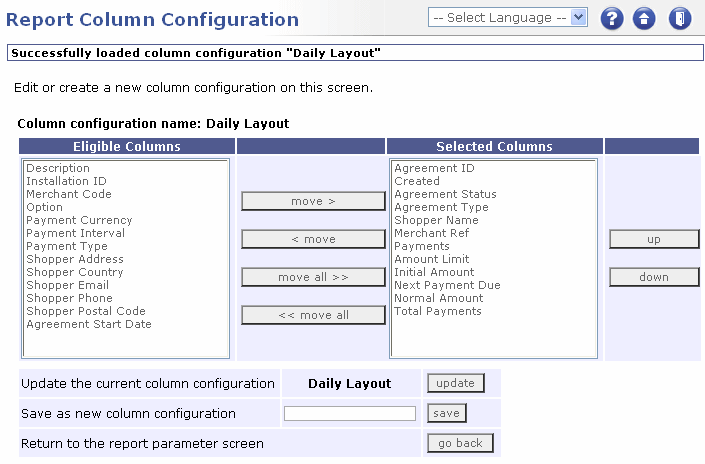
Report column configuration page
|
|
Report column configuration page |
The following tables describe each element on the page.
|
Page Item |
Description |
|
Eligible Columns |
Displays the column types available to you. Select one or more and click move >. The column type/s are added to the Selected Columns list. |
|
Selected Columns |
Displays the column types included in your layout. Select one or more and click |
|
Move > |
Moves any selected entry in the Eligible Columns list to the Selected Columns list. |
|
< Move |
Moves any selected entry in the Selected Columns list to the Eligible Columns list. |
|
Move all >> |
Moves all of the entries in the Eligible Columns list to the Selected Columns list . |
|
<< Move all |
Moves all of the entries in the Selected Columns list to the Eligible Columns list. |
|
Up |
Moves a selected entry in the Selected Columns list up one position. |
|
Down |
Moves a selected entry in the Selected Columns list down one position. |
|
Update |
Only available when you are editing an existing layout. When you have finished making changes, click the Update button to save your changes. |
|
Save |
Type an appropriate name into the field. Click save to save the current layout. |
|
Go back |
Select to return to the Reporting Page. |
 |
The order of the entries in the Selected Columns list represents the order of the columns, reading left to right, in the generated report. |
|
|
|

