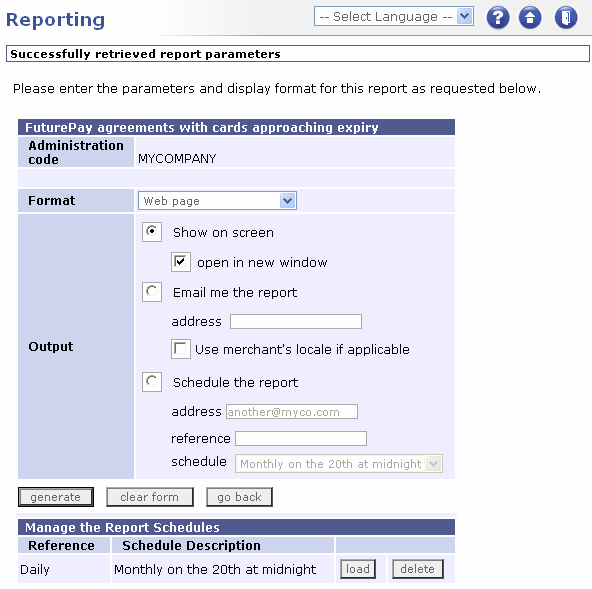
A Reporting Page For Expiring Cards
|
|
A Reporting Page For Expiring Cards |
The following table describes each element on the page:
|
Page Item |
Description |
|
Administration code |
The current administration code. |
|
Output |
You can choose to view the report as a Web page, as an email, or schedule it to be generated on a regular basis. |
|
Generate |
Generates the report according to the defined settings. |
|
Clear form |
Clears your settings and resets the form to the default. |
|
go back |
Returns you to the Reporting Page. |
|
Manage the Report Schedules |
Allows you to load, create, change and delete schedules. |
|
Reference |
The reference you gave when you created the schedule. |
|
Schedule Description |
A description of the schedule, as selected in the schedule list box. |
|
load |
Loads the saved schedule so that it populates the fields in the page. You can then choose to view a generated report based upon it, or to save the report in one of the available formats. |
|
delete |
Deletes the schedule. |
|
|
|

